

 Healthcare engagement
End-to-end HCP and HCO engagement management
Plan, review, contract, run, and reconcile every engagement with healthcare professionals and organizations. You work through configurable, audit-ready workflows built for global teams.
Connected engagement management
- Needs assessment and configurable approvals
- HCP nomination, qualification, and fair market value
- Annual caps and spend controls
- Contract generation and signature tracking
- Invoice, payment, and reconciliation
- Sanctions and exclusions screening
- AI-assisted review and translation
One record for every engagement, from plan to payment
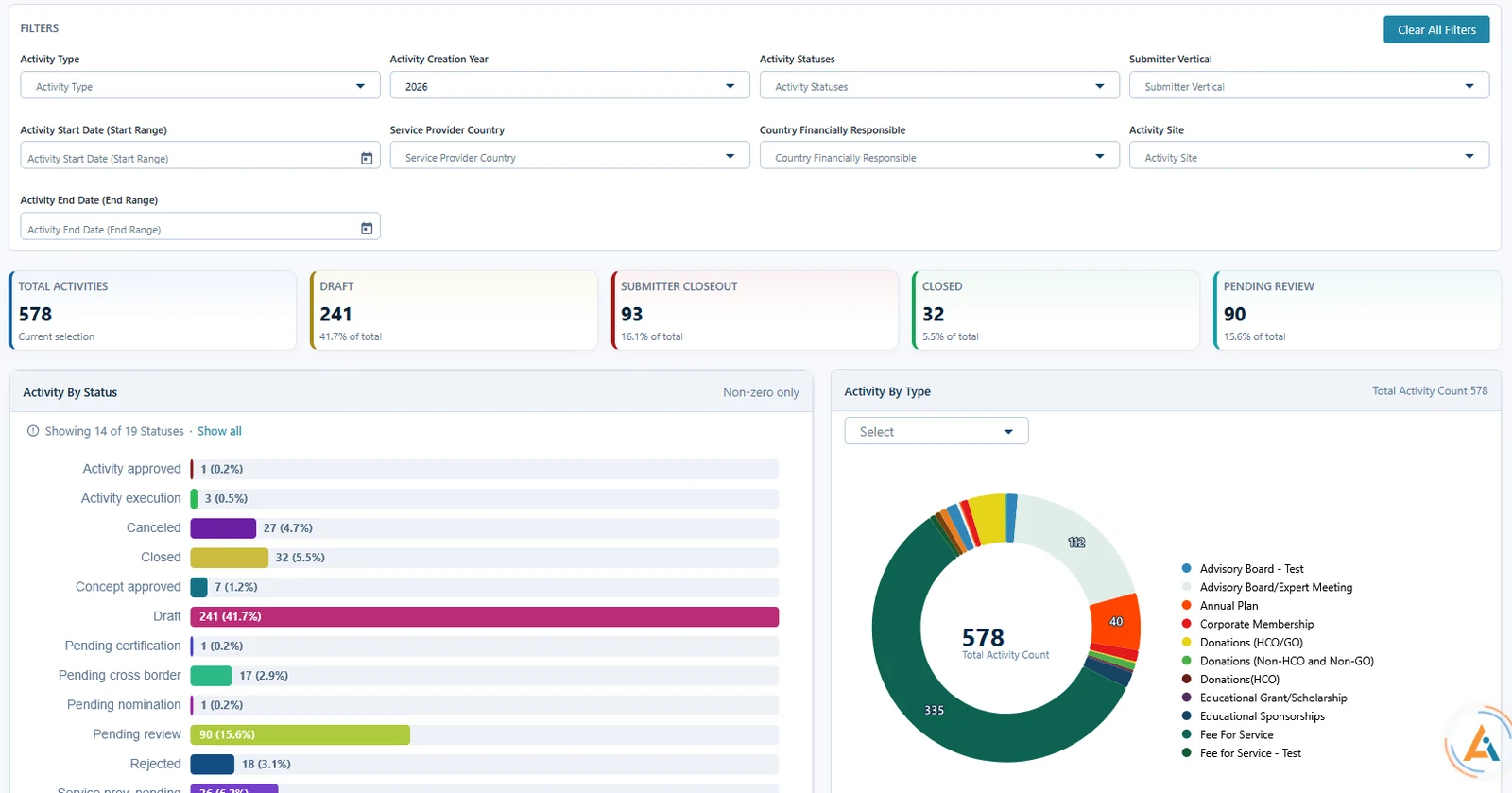
EngageMate is a modular, global platform for your engagements with HCPs and HCOs. It connects annual planning, needs assessment, nomination, sponsorship, contracting, execution, invoicing, reconciliation, and certification.
Your compliance, medical, and commercial teams work from the same record. Approvals, US due diligence screening, fair market value, caps, and payments all sit with the engagement, with executive oversight across all of it, so there is less to chase and more to show an auditor.
Global
Service providers from any country, with forms, approvals, and languages set for each market
Configurable
Your forms, needs assessment questions, qualifications, users, and approval rules, can be changed without any coding
Audit-ready
Every decision, document, and approval kept on the engagement record
How an engagement moves from plan to payment
- 1
Plan and set caps
Annual plan and HCP spend caps
- 2
Assess need
Review and approve the business need
- 3
Nominate
Qualify, tier, and screen each provider
- 4
Contract
Generate and sign the agreement
- 5
Review content
Approve the materials
- 6
Execute
Hold the event or activity
- 7
Reconcile
Invoice, pay, and certify
See each HCP's annual cap before you submit
EngageMate tracks each HCP's spend against a defined annual cap, so your team sees the value already committed before another engagement goes in.
- Track cap and spend for each HCP across engagements
- Show current cap usage during submission
- Limit submissions when a threshold is reached
- Record each cap exception and the reason for it
Annual cap, one HCP
2026 · Example- CheckedNew speaker program, $13,000, would reach 108 percent of the cap
- LimitedSubmission held at the threshold your policy sets
- ExceptionOverride approved, with the business reason on the record
Approve the need and qualify your provider
Checks built into the workflow
- Fair market value tiers and rate calculations for each provider
- Sanctions and exclusions screening before you engage
- Third-party due diligence on the record
- Review by legal, medical, and compliance, routed by region
- Closure and certification enforced by your policy
Nobody's queue holds up the engagement
When an activity needs attention, EngageMate emails the person responsible with a link to the record. Reviewers can delegate their role while they're on leave, or an administrator can do it for them.
| When this answer | This question | Becomes |
|---|---|---|
| Travel needed: No | Travel details | Hidden |
| Provider tier: set | Hourly rate | Filled in |
| Provider in another country | Cross-border review | Required |
Sanctions and exclusions, summarized for review
Consolidate
State medical board and OIG records in one place
Screen
Check each nominated US provider for sanctions and exclusions
Summarize
AI condenses each lengthy sanction order into a short summary
Decide
A clear sanction is decided automatically. When there is uncertainty, an authorized reviewer decides
Your team still makes the call
The summary gives authorized reviewers what they need to understand the underlying issue quickly. The decision, and the reason for it, stay with your team and on the engagement record.
Excluded and sanctioned are different questions
- Excluded
- A screening check. The provider is excluded, so you don't engage.
- Sanctioned
- A judgment call. You read what the order says, then decide.

One connected record from contract to payment
- Activity approvedIn EngageMate
- Contract generatedFrom activity and HCP data
- Signatures capturedThrough DocuSign
- Invoice receivedOCR reads the invoice
- Payment processedIn your payment system
- Status reconciledBack on the record
Contracting
EngageMate generates the HCP contract from approved activity and provider information, which cuts manual entry and inconsistent terms. DocuSign routes it to each signatory, tracks progress, and files the signed agreement with the engagement.
- Generate contracts from activity and HCP information
- Capture required signatures through DocuSign
- Track contract status through execution

Help at the points where engagements slow down
EngageMate uses AI to help your users find approved guidance, review activities faster, and work across languages. It supports business and compliance review. It never replaces the person accountable for the decision.
Contextual guidance
Ask about your approved SOPs, EngageMate features, or how to finish a step, without leaving the workflow.
AI Copilot Review
See activity details that may need attention before an engagement moves on. Reviewers still approve, return, or revise it.
Assisted translation
Translate entered text and documents across supported languages, within your review rules.
This HCP has used 82 percent of the annual cap. A second advisory board at the tier 2 rate would pass it, so the submission needs a documented cap exception.
Answers come from approved documents your team uploads.
Invoicing and payment, reconciled on the record
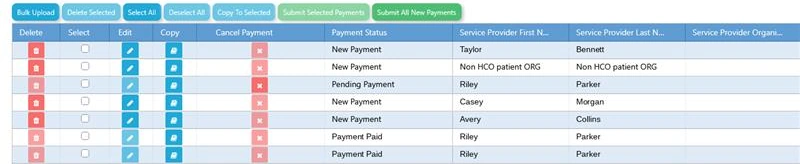
EngageMate sends payment instructions, with the HCP, address, identifier, purchase order, invoice, and activity data, to your payment or spend system. The payment date and status come back to EngageMate, so each payment's history sits in one place.
- Send payment and HCP information for processing
- Track payment status and processing dates
- Keep payment information with the activity record
OCR-assisted invoice capture
HCPs can submit invoices directly to EngageMate. OCR reads each invoice and links it to its activity and spend record, and your team reviews it before payment.
Built for control, visibility, and easier execution
Streamlined workflow
Track activities, approvals, fair market value tiers, and rates in one place, from business plan to close-out
Global compliance
Manage engagements with providers in many countries against government rules and your own policies
Flexibility
Create and edit forms, qualifications, users, and translations from the administration screens
Ease of use
Most users pick up EngageMate after one self-guided training session
Real-time insights
Dashboards for activities, service providers, approvals, caps, payments, and close-out alerts
Cap and spend controls
Track each HCP's annual cap and spend, and stop or flag submissions that would exceed it
"EngageMate has helped us to efficiently streamline our HCP engagement review process. The business and reviewers are always providing feedback how much they appreciate how intuitive the system is."
Engagement data that carries on into monitoring and reporting
Activity and spend data from EngageMate can flow into MonitorMate and SpendMate. Your engagement records then feed monitoring and transparency reporting without being entered again.
Engagement record Activity data, ready for live and transactional monitoring
 Spend data, ready for transparency reporting
How a top 20 pharmaceutical company left spreadsheets behind
After a poor experience with another engagement tool, this company had gone back to email, spreadsheets, and Word documents. The audit risk had become too high to accept.
We learned their rules
Cresen gathered their workflow rules, business logic, and form requirements
We matched their SOPs
EngageMate was configured to follow their policies and SOPs exactly
We connected their data
HCP and HCO records come from their customer master, current and without re-entry
Each market reviews its own
Activities route to the right legal, medical, and compliance reviewers, and close only when certified

Bring planning, contracts, controls, and payments into one workflow
Tell us which engagements and countries you manage, and we'll show you how EngageMate takes them from plan to reconciliation.